DreamTale is a local Windows text-to-image workstation for novel artwork, quote cards and serialized illustrations. It supports Anima, Flux, SDXL and Qwen-Image, weight checks, character models, a story bible and phone or chat remote controls.

Windows desktop · Local AI images

Illustrate your story. Keep it on your PC. Create artwork locally.

DreamTale (Huimengxia)runs your creative workflow on your own computer: build a world, plan scenes, generate, preview and export. Create novel artwork, quote cards and serialized illustrations in one place.

Scene demo
One workspace for the whole novel Phone and chat app remote controls
DreamTale · Render queue ENGINE
Render queue · Resume tasks Queue 3
One workspace for the full process

From world building to finished images

Four image architectures, a story workspace, continuity notes and editable writing rules for novel artwork, quote cards and serial illustrations.

One connected workflow

One story.
One workspace.

Work from projects and world building through storyboards, generation, preview and export. Phone and chat app controls let you arrange image jobs remotely.

4
image architectures
9
steps from project to export
Queue
Manage multiple image jobs
2
remote controls: phone and chat
Queue · Novel artwork ENGINE
Image jobs ~ 1 concurrent job · Queued
System architecture

The desktop app, with a local engine

The desktop app starts the local engine. Queues, models and story notes stay on the computer; phones and chat apps provide remote controls.

Desktop app Projects · World · Scenes Phone / chat app Control · Generate · Receive Engine core Job queue · Live progress Loader · Weight checks Render engine Anima · Flux SDXL · Qwen-Image Character model hot-swap Gallery / preview Local storage Export · Artwork sets Quote card templates Phone / app delivery You / readers
Desktop Remote control Local engine Output
Interface · Application screenshots

The story workspace in action

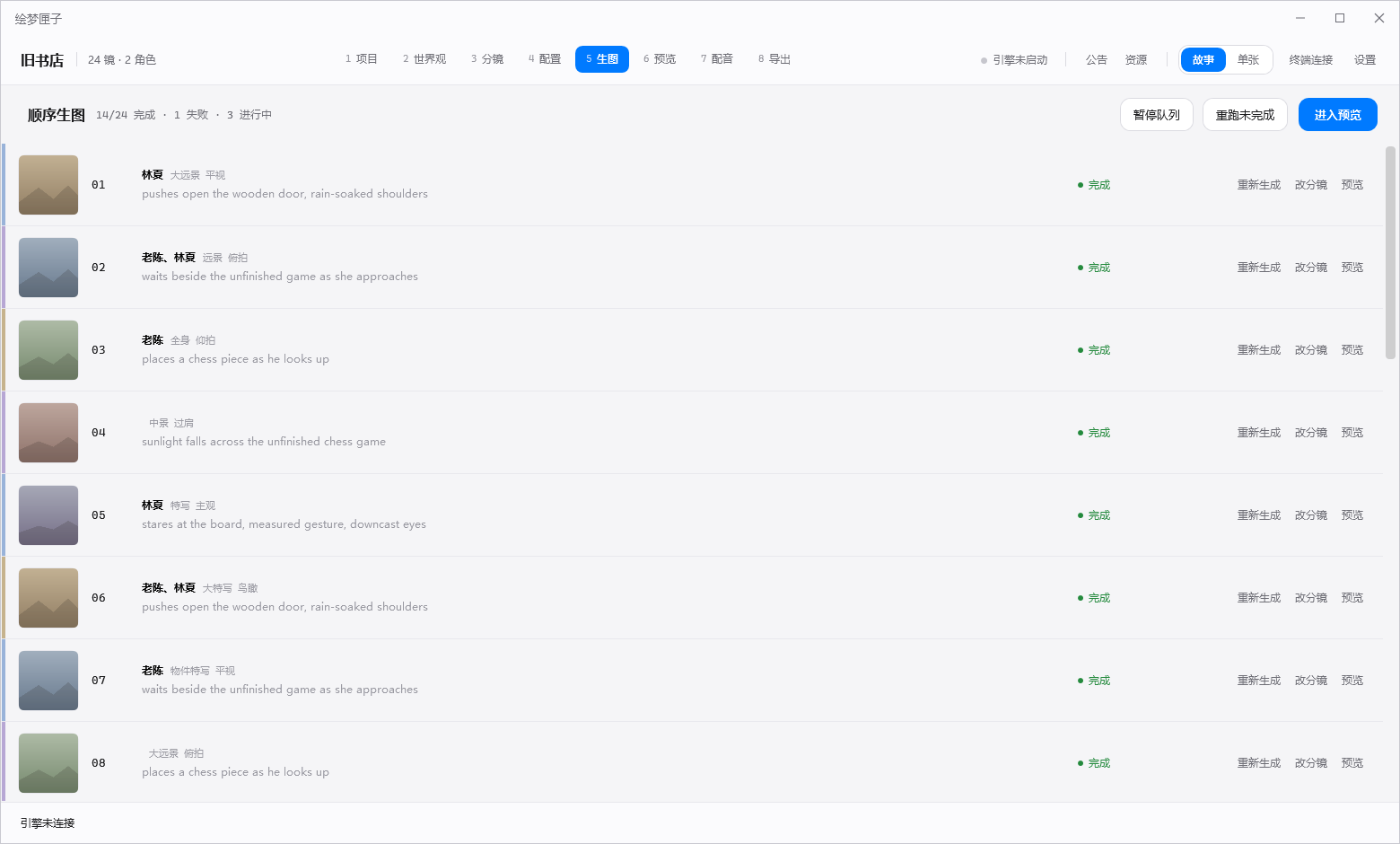
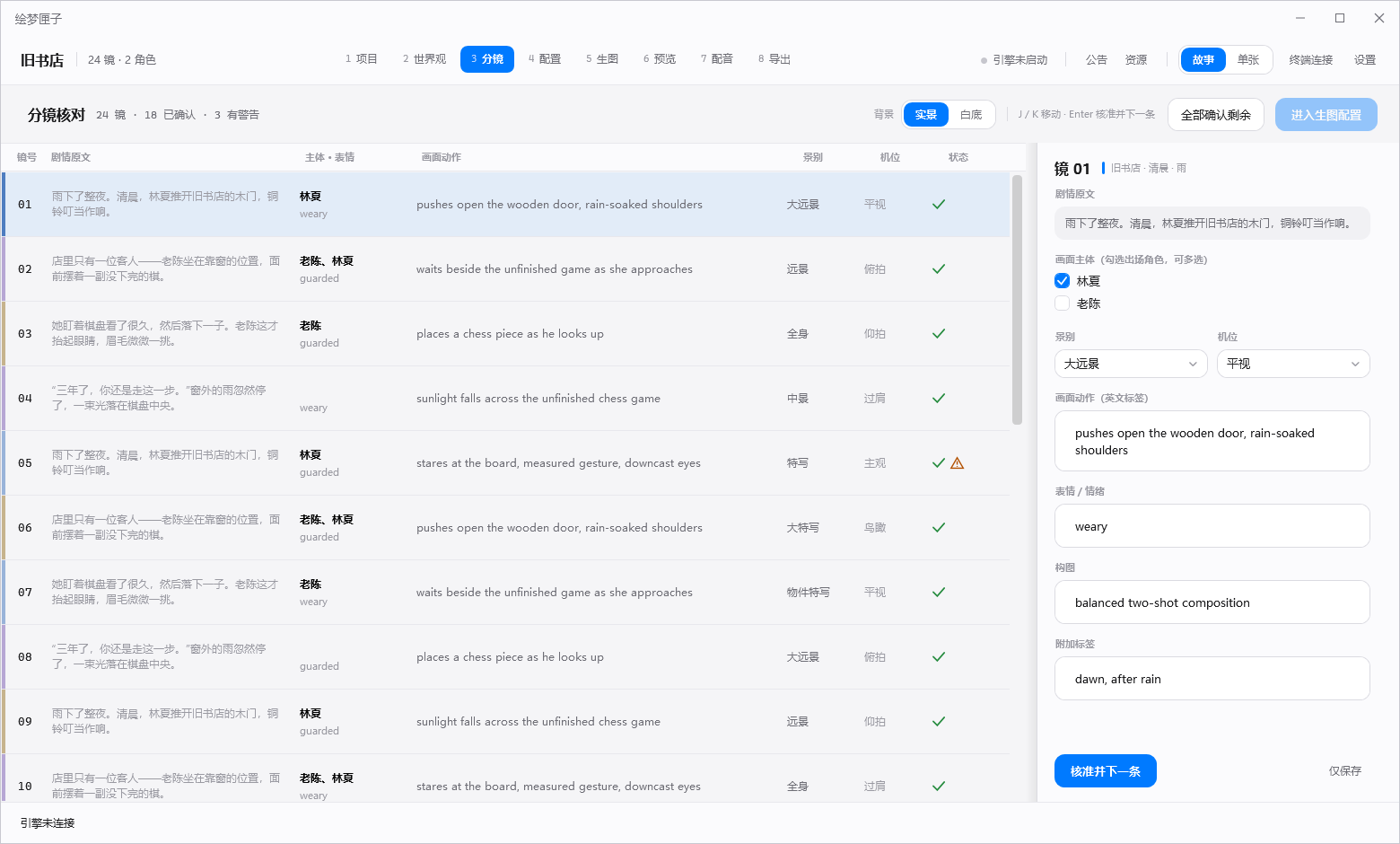
Move through world building, storyboards, generation and preview in one workspace. These screenshots show the existing application interface.
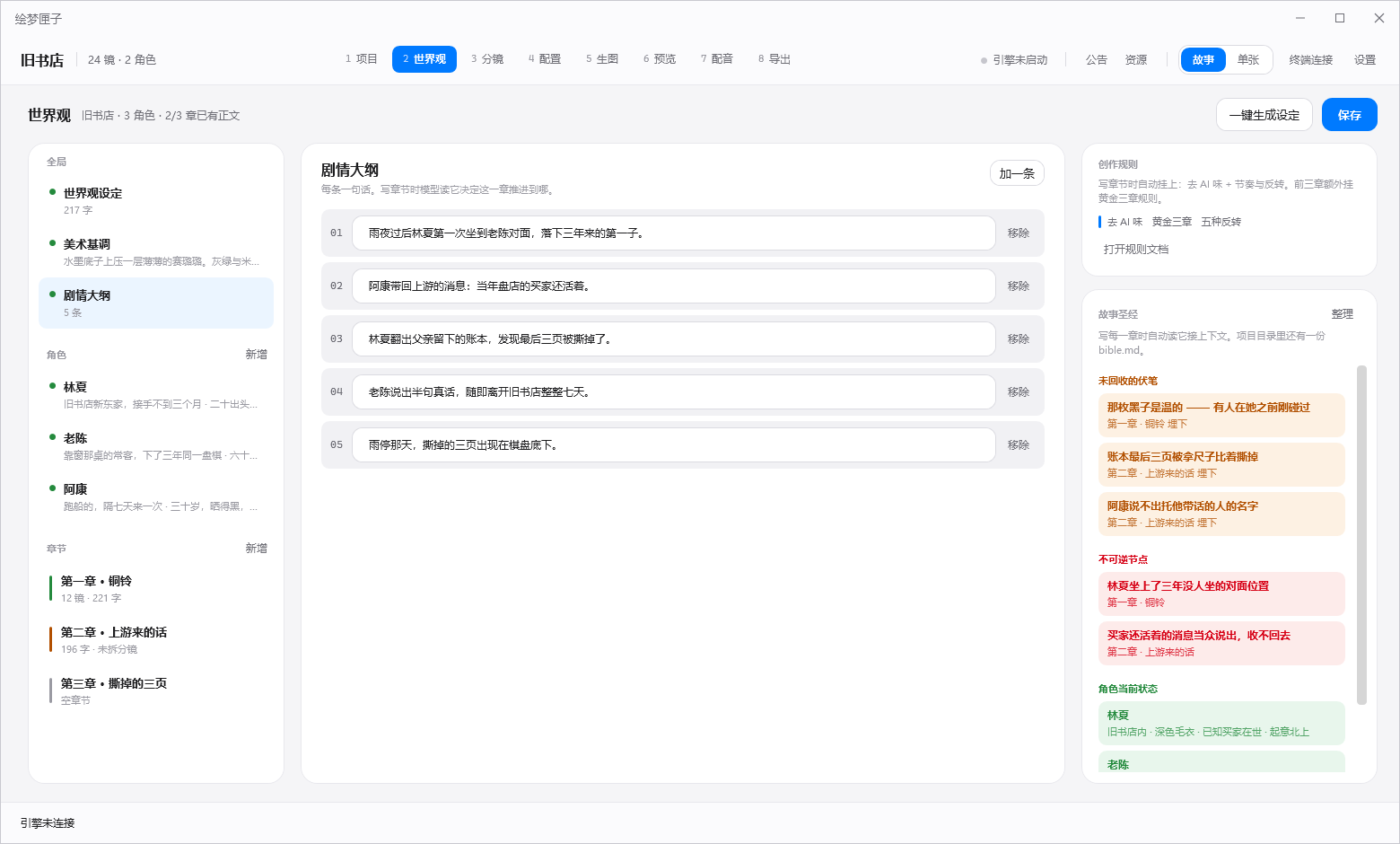
DreamTale world editor: settings and character entries, a structured editor, writing rules and story bible
World buildingEntries on the left · Editor in the center · Rules and story bible on the right
DreamTale storyboard: review each scene, character and emotion
StoryboardsStory → Storyboard: review settings, characters and emotion in each scene
DreamTale generation page: prompts, parameters, LoRA and image preview
Generate · PreviewPrompts, parameters and LoRA with image previews
Content safety

Your stories and artwork
remain yours.

Ideas, character notes, drafts and finished images stay on your computer. Continue local image generation without an internet connection.

Keep content localYour stories, character notes and artwork are not uploaded to a platform.
Generate offlineContinue generating locally when the network is unavailable.
Runtime includedNo separate Python installation or environment setup is required.
Check before loadingModel weights are checked before loading. Missing or mismatched weights produce an explicit error.
DreamTale — local spine
# On this computer, including the portable runtime
> Stories.exe
  ✓ Engine start      Local engine · Starts and stops with the app
  ✓ Weight checks      anima 685/685 · flux 780/780
  ✓ Character model ready   Example character · Switch as needed
  ✓ Queue resumed      Resume · 2 tasks

> render queue ready
  ● Queue ready · Process incoming jobs  Local generation
  External network: unreachable  ✓ Data stays on this computer
Technical specifications

Prepared for local image creation

The runtime and four image architectures are included. Prepare your chosen model files; each model is checked before loading.

4
image architectures
Anima · Flux · SDXL · Qwen-Image
Queue
image jobs
Arrange jobs and review progress
38GB
larger model support
Qwen-Image with 16 GB VRAM
9
workflow steps
World → Scenes → Image-to-video → Export
47
loading checks
Model weight checks passed
Windows
Desktop app
Native app · Light theme
FAQ

Questions about local image generation

See the download page and documentation for more guidance.

What can I create with DreamTale?
Create novel artwork such as covers, character references and scene images, make quote cards, and illustrate serialized stories. Work from world building to finished images and export in one workspace.
Can I use it without drawing skills?
Yes. Write a description in Chinese, choose a style and character, and use the world-building and storyboard workflow to develop a sequence of images.
Can I control image generation from my phone?
Yes. Open the remote page in a phone browser to send prompts, view progress and receive images. QQ chat controls are supported; additional app integrations are in development.
What computer do I need?
Use Windows 10/11 with a discrete graphics card. Lightweight models can run with about 8 GB VRAM; 16 GB supports larger models. Requirements depend on the selected model and settings. The installer includes the runtime.
How do I install it?
Use the installer from the Download page. It includes the runtime, so no separate Python environment is needed. Prepare the model files separately.
DreamTale · Huimengxia

Create your first image.
Novel artwork · Quote cards · Serial illustrations

Bring novel artwork and quote cards into a local creative workspace. The installer does not include models: download the ones you need and set their directory in the application.